01Logo
The DCoE logo system consists of three lockup formats and three color variants. Always use the official logo files from the brand asset library.
Logo lockups
The DCoE logo is available in horizontal, vertical, and icon-only configurations for different layout contexts.
Horizontal lockup
Primary use — marketing, headers, documents

Vertical lockup
Stacked — social media, square formats
Icon mark
Compact — favicons, app icons, watermarks
Color variants
The logo ships in three color modes for different background contexts.
Horizontal lockup


Vertical lockup

Icon Mark


Clear space & minimum size
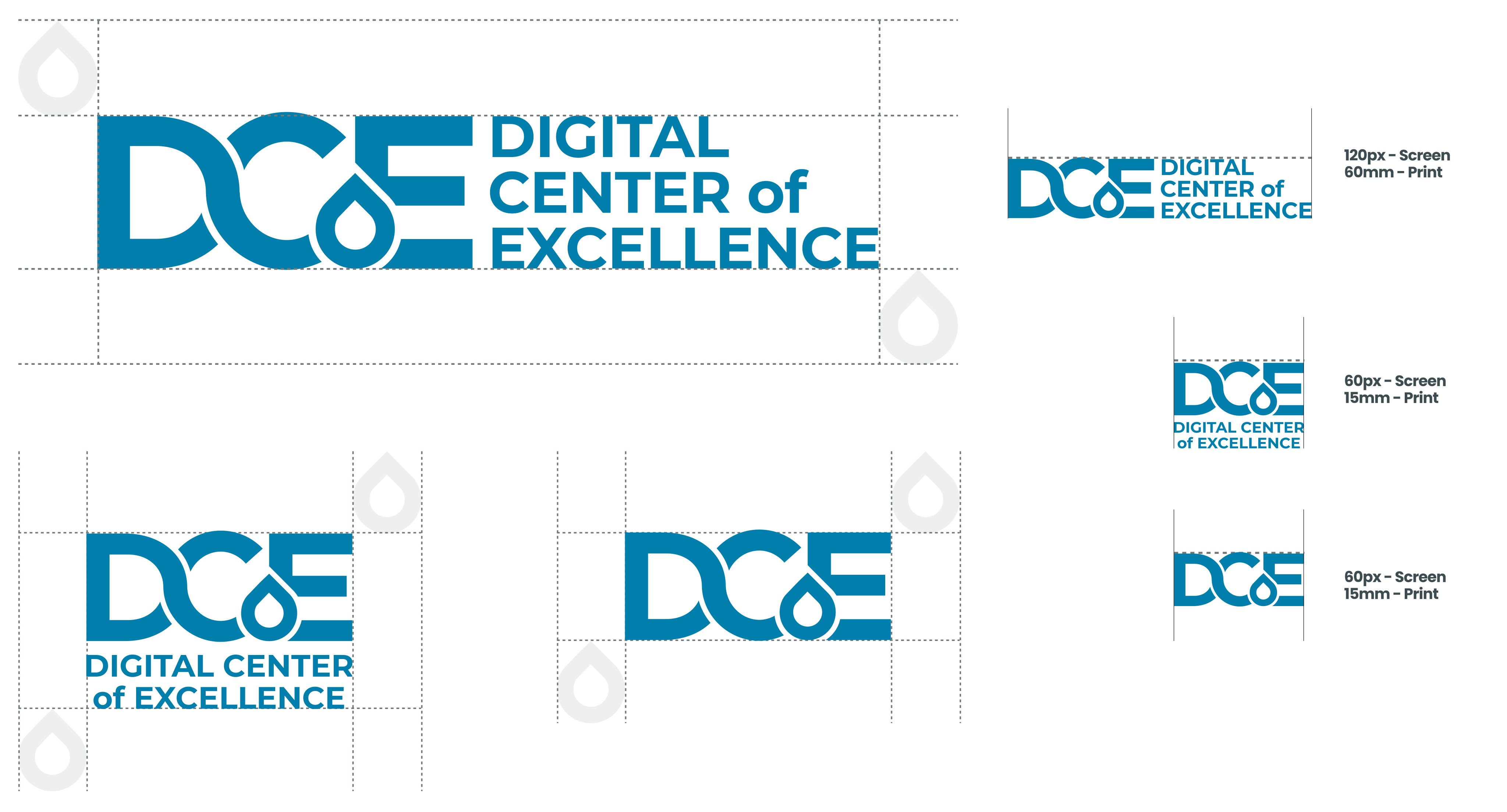
Maintain a clear zone equal to the height of the "Drop" shape around all edges of the logo. The minimum width for the horizontal lockup is 120px on screen and 30mm in print, vertical lockup, icon is 60px and 15mm in print.
02Color palette
DCoE's color system is built on a primary blue, an accent green, a secondary navy, a full grayscale, and four functional colors. All values are available as Figma variables.
Primary — DCoE Blue
The core brand color, used for primary actions, headers, links, and brand-forward applications.

DCoE Blue
Primary / Fill / Default — The primary brand identifier
Accent — Green
The accent green palette is used as a secondary brand color for highlights, visual accents, and complementary UI elements.
Secondary — Navy
Deep navy tones for backgrounds, page chrome, footer areas, and dark-mode interfaces.
Grayscale
Neutral tones for body text, borders, backgrounds, and supporting content.
Functional
Reserved for UI states and alerts. Never use as decorative brand colors.
03Typography
DCoE uses Poppins as its sole typeface across all touchpoints — headings, body, and UI. Line height is 1.57 (157%).
Type scale
| Element | Sample | Spec |
|---|---|---|
| H1 | Section heading | Poppins Bold / 31px |
| H2 | Subsection | Poppins Bold / 24px |
| H3 | Card title | Poppins Bold / 20px |
| Body | Default body text | Poppins Regular / 16px |
| Body Bold | Strong emphasis | Poppins Bold / 16px |
| Caption | Small text and labels | Poppins Regular / 13px |
04Iconography
DCoE integrates USWDS and Bootstrap icon libraries. Custom icons can be added following the standard size grid.
Standard icon sizes
@1x
@2x
@3x
@4x
3D Icons


Circle Icons


05Photography
DCoE photography should convey professionalism, digital innovation, and collaboration. The standard media ratio is 16:9.
Photo guidelines
| Attribute | Guidance |
|---|---|
| Tone | Professional, clean, modern. Natural lighting preferred. |
| Subjects | Technology, collaboration, workspaces, digital infrastructure. |
| Composition | Asymmetric, clear focal point. Allow space for text overlays. |
| Color grading | Neutral to cool tones. Align with the DCoE blue-gray palette. |
| Figma import | Mac: ⇧ ⌘ K Win: Ctrl ⇧ K |
06Covers
Decorative cover that integrate with content as backgrounds and section.
07Assets
Video Call background
Corporate background to use for video calls
Slidedeck
Corporate slide presentation
08Co-branding
DCoE supports co-branding with partner organizations using a dedicated Figma component system.
Horizontal co-brand layout

Co-branding rules
- DCoE logo always appears first (left / top)
- Partner logos must be equal or smaller visual weight
- Use the master Figma component — not individual instances
- Formats: vertical, horizontal, icon, text, branding bar
- Maintain standard clear space between brand marks
09Do's & Don'ts
Quick-reference brand compliance rules across the entire visual identity system.
- Use official logo files from the asset library
- Maintain minimum clear space around the logo
- Use primary blue (#007FAD) as the lead brand color
- Use Poppins for all text — headings, body, and UI
- Apply 16:9 ratio for standard media
- Use USWDS / Bootstrap icons at standard sizes
- Test color contrast for WCAG AA
- Stretch, rotate, or distort the logo
- Change logo colors beyond the 3 approved variants
- Use functional colors as primary brand colors
- Use unauthorized fonts on official materials
- Place the logo on low-contrast backgrounds
- Break pattern tiling with improper cropping
- Add shadows, gradients, or effects to the logo
10Changelog
Version history and updates to the DCoE brand guidelines.
| Date | Version | Notes |
|---|---|---|
| Mar 2026 | 1.1.0 | Added accent green palette (#DAFCE6 → #143725) from Figma design tokens. Unified typeface to Poppins only (removed Inter). Updated heading color to #1C1E1F, body text to #565C65. Simplified sidebar (removed bullets and dividers). Header changed to white with #DFE1E2 border. Hero updated to white background. Reduced main content top spacing. Background set to white throughout. |
| Mar 2026 | 1.0.0 | Initial brand guidelines release — logo, color, typography, iconography, photography, patterns, co-branding, and usage rules. |